
‘Jobs - overview’ menu
On Jobs Overview all job statuses – New (NEW), In Progress (WORK), and Completed (FIN) – are displayed in a table.
The reload button can be used to refresh the table, as well as to confirm the input of the max jobs.
The table view by default shows the columns Result, ID and Job Description.
Configuring the columns and paging through the table pages is described in Jobs in process.
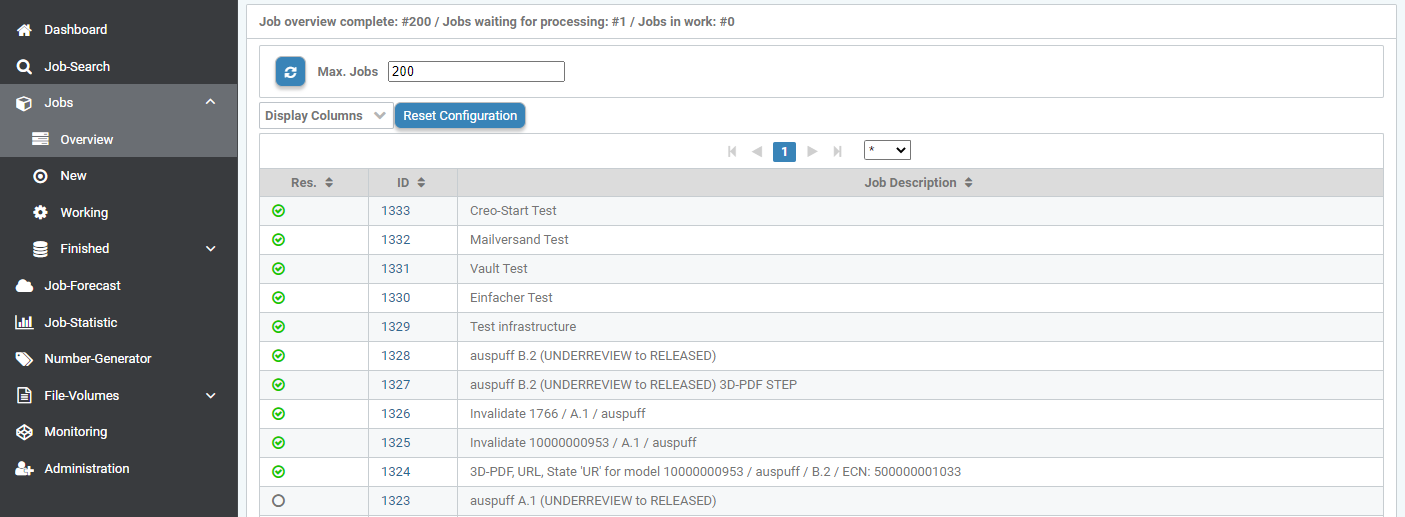
Jobs - Overview
Above the Job - Overview, the input field Max. Jobs can be used to set the maximum number of jobs listed per table output. The default output value is 200 for Max. Jobs.
If there are more jobs than the maximum 200, there is a text output below with the following info, for example:
"Total Job Overview: #200 / Jobs waiting for processing: #347 / Jobs in progress: #1"