
Configure and query search parameters
Configure search parameters
The search parameters can be configured as follows.
Via search configuration the standardized, possibly empty default search query can be used, or an individual, specific search query can be set.
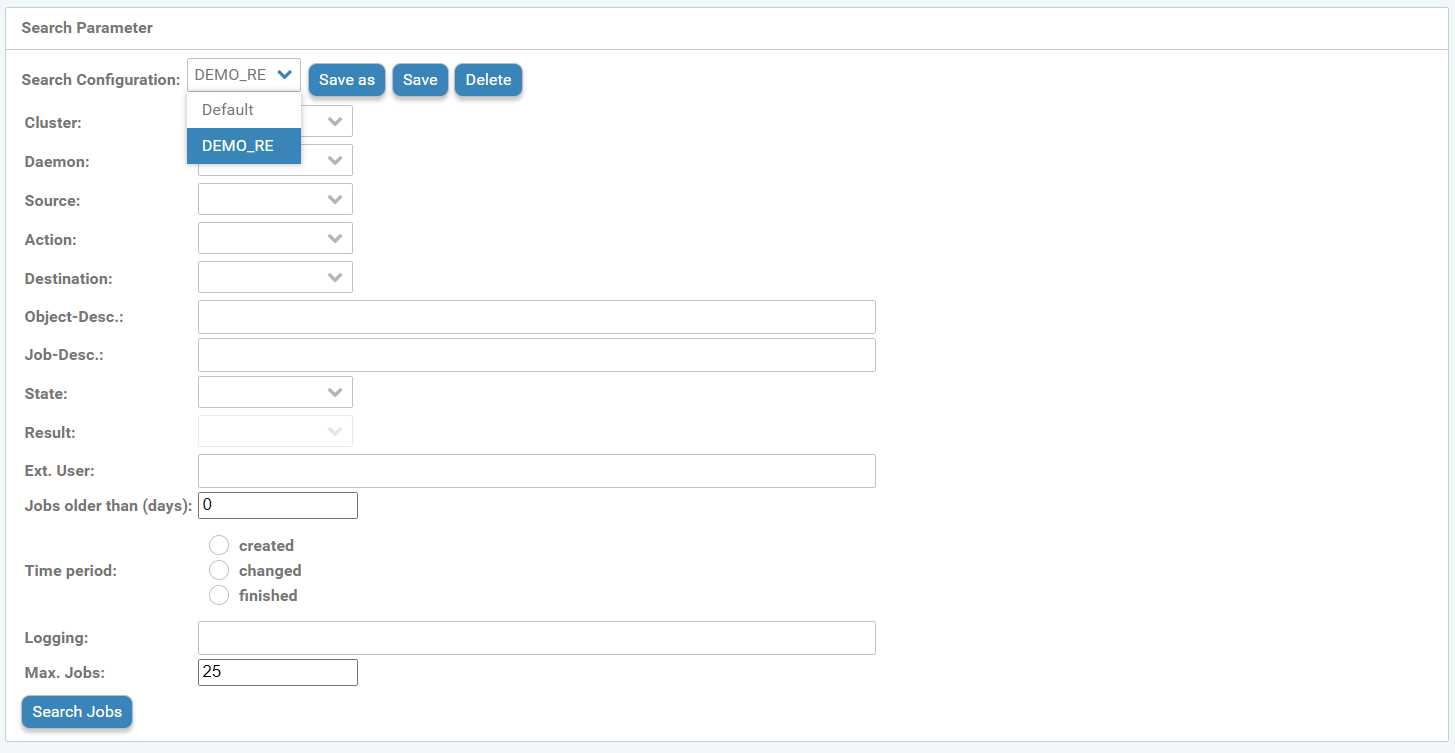
Search parameters configuration
You can select the following search parameters for the search query:
Cluster
Daemon
Source
Action
Target
Object description
Job description
Status
Results
Ext. Users
Jobs older than (days)
Period (created, modified, or completed)
Logging
Jobs
You can choose existing selection options via the respective drop-down menu or you can describe them with a text entry.
Once all desired changes or adjustments to the search parameters have been configured, save the search configuration:
Save as → Create search configuration (New window) → Configuration name → "Enter personal configuration name"→ confirm Save as.
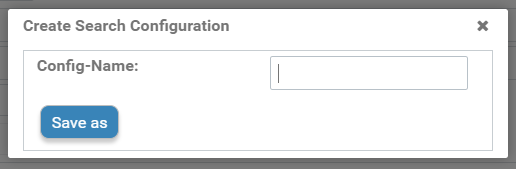
Save search configuration
Now this individually created search configuration can be selected via the dropdown menu.
Individually created search configurations can also be edited afterwards.
For this purpose, the individual search configuration is selected from the dropdown menu and the desired changes are made in the respective search parameter options.
Clicking the Save button applies the changes and overwrites the search configuration.
Deleting a saved search query: Select the search configuration from the dropdown menu and press the Delete button.
To delete a saved search query: Select the search configuration from the drop-down menu and press the Delete button.
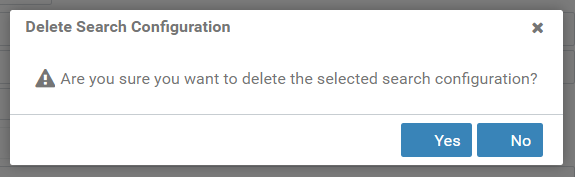
Delete search configuration
Search results
If all of the above settings and filters are configured for the search query, it can be started via Search Jobs.
The search results output is a table below the search parameter mask.
Edit the search result table as in Completed jobs