
Completed jobs
In the section 'Completed Jobs', the most recently processed jobs are listed in a table. By clicking on the job ID, you can jump to the job's detail page.
The column Result shows the respective icon for the job status.
The following result outputs or symbols exist:
Job completed successfully, green symbol
Job ended with error(s), red symbol
Job is to be ignored, yellow symbol
Job partially finished, blue symbol
Job was rejected, purple symbol
A maximum of the last 250 jobs are listed. You can browse through the list of jobs using the page numbering. The number of jobs listed per page can be adjusted. In the illustration below, this is 25 jobs per page, thus 10 pages available for browsing.
The table can be configured as already described in Jobs in process.
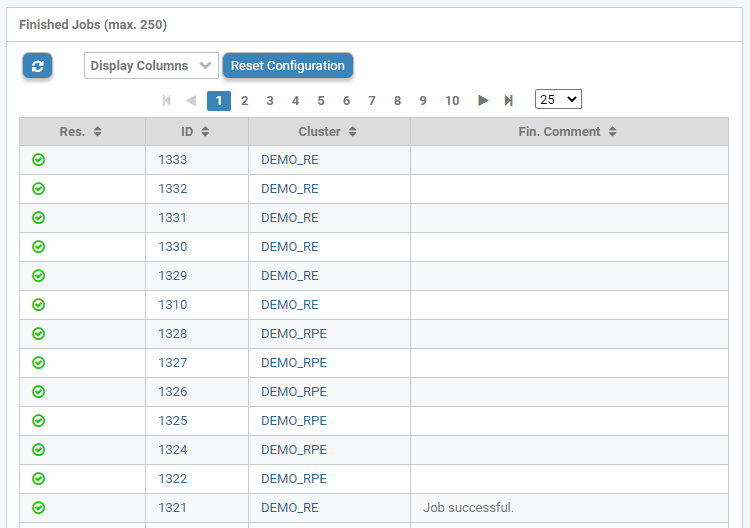
Completed jobs