
Search results
Once all the above settings and filters for the search query are configured, it can be started via Search Jobs.
The search results are displayed as a table below the search parameter mask.
Above the results table, it is shown how many jobs were found in total, how many are included in the table, and how long the search took. To improve the search performance, the output of the total result set can be omitted. This setting is done in the administration:

Setting for determining the total result set in job search
Buttons in der Ergebnistabelle
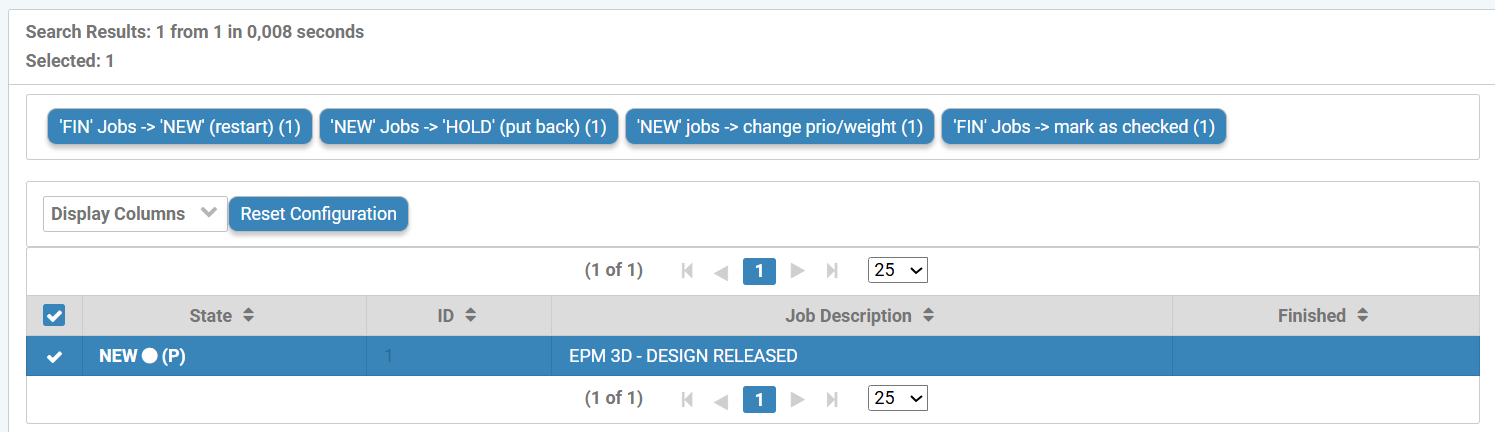
With marked jobs from a search query, the following actions can be performed - with appropriate permissions:
Button | Function |
|---|---|
'FIN' Jobs → 'NEW' (restart) | Restart finished jobs. |
'NEW' Jobs → 'HOLD' (postpone) | Put new jobs on HOLD (prevent processing). |
'NEW' Jobs → Change priority/weight | Change priority and weighting (this page). |
'FIN' Jobs → Mark as checked | Mark finished jobs as checked. |
Delete found jobs | All jobs in the result list will be deleted. |
Delete selected jobs | All marked jobs will be deleted |