
VAULT Daemon
Vault daemons are required for the use of Vaults. For details, see Vault concept.
A newly created VAULT daemon has a set of properties:
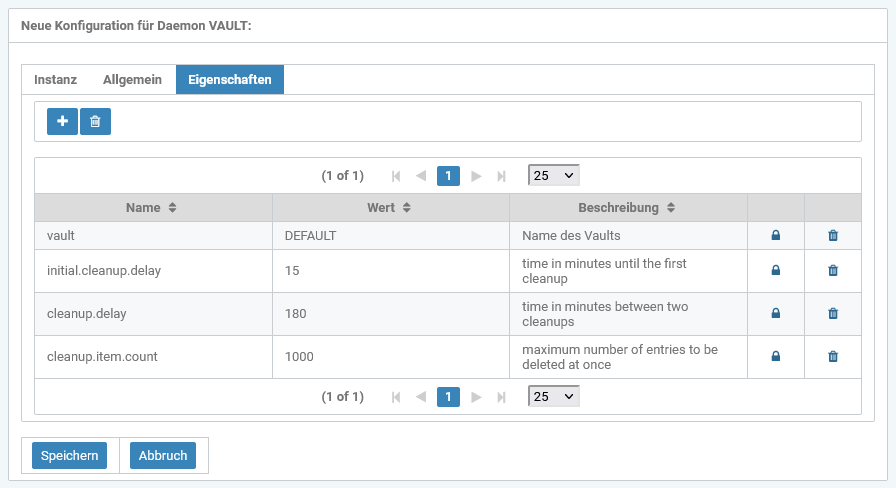
Name of the property | Required | Default value | Example value | Description |
|---|---|---|---|---|
vault |
| DEFAULT | Name of the associated vault | |
initial.cleanup.delay |
| 15 | at least 2 | Time in minutes that is waited after starting the vault daemon until files are cleaned up for the first time. |
cleanup.delay |
| 180 | at least 20 | Time in minutes that is waited between two cleanup processes. |
cleanup.item.count |
| 1000 | at least 10 | Number of files that are deleted per cleanup run. |


Additionally, there are properties that are used for configuring an https vault:
Name of the property | Required | Default value | Example value | Description |
|---|---|---|---|---|
ece.ssl.keystore.path |
| Value of javax.net.ssl.keyStore, if set. | /<Path>/ece_keystore.jks | Absolute path of the keystore |
ece.ssl.keystore.pass |
| Value of javax.net.ssl.keyStorePassword, if set. | <Password> | Keystore password |
ece.ssl.keymanager.pass |
| - | <Password> | Key manager password |
ece.ssl.truststore.path |
| Value of javax.net.ssl.trustStore, if set. | /<Path>/ece_keystore.jks | Absolute path of the trust stored |
ece.ssl.truststore.pass |
| Value of javax.net.ssl.trustStorePassword, if set. | <Password> | Truststore password |