
Daemon status
In the section Daemon Status, the daemons known to the system are listed with Daemon Name, Cluster Name and Daemon Status.
Note:
Only RE daemons can be assigned to a cluster. SIS, Vault, and Mail daemons do not have a cluster.
The current status is displayed by an icon:
Icon | Description |
|---|---|
Green arrow UP: | Daemon is active and running. |
Red arrow DOWN: | Daemon has stopped or is no longer sending any feedback signal. |
No icon: | The daemon has never been run. |

Daemon with status display via icon
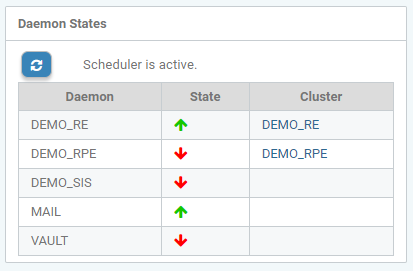
Daemon status
By clicking on an arrow, the last known status and the lifecycle details of the associated daemon are displayed.
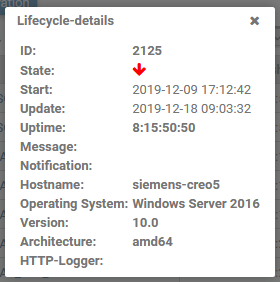
Daemon lifecycle details